Status is buried three replies deep.

Client and Matter Intake for Law Firms
Stop managing new business from seventeen tiny hiding places.
Intake teams should not have to spend the morning digging through reply-all threads, updating trackers, chasing approvals, retyping entity data, and asking who has the request now.
New matters, conflict checks, approvals, custom fields, email intake, and handoff without the daily scavenger hunt.
The Daily Intake Loop
The request is moving. Nobody is quite sure where.
Law firm intake teams spend too much time chasing the same small mysteries before the real work can even begin.
Helpful yesterday. Stale today.
The handoff waits on a green light.
Risk review becomes a side quest.
The same details get typed again, and then someone asks why.
Nobody should need a detective board.
Smart Intake Tricks
Useful automation that shows up before the intake team has to go hunting.
CMIForge is getting the kind of helpful intelligence firms actually feel: it reads messy inputs, pulls details from documents, and starts watching for conflict clues while the request is still being typed.
AI
AI assist that speaks intake
Summaries, likely risks, workflow draft help, and review context show up where the work is already happening. Less scavenger hunt, more "oh good, there it is."
OCR
Photo OCR for paper that refuses to behave
Snap or upload a client document, let CMIForge pull out the usable text, then review the draft before it becomes a submission or clean client record.
Live
Conflicts checks while names are still being typed
Client names, parties, aliases, related entities, sanctions/provider hits, and prior searches can surface while the form is still being filled out.
Client name
Acme Manufacturing
Live conflicts
3 possible matches
Related matter, provider hit, similar party
Inside the product
See the intake work without asking five people for status.
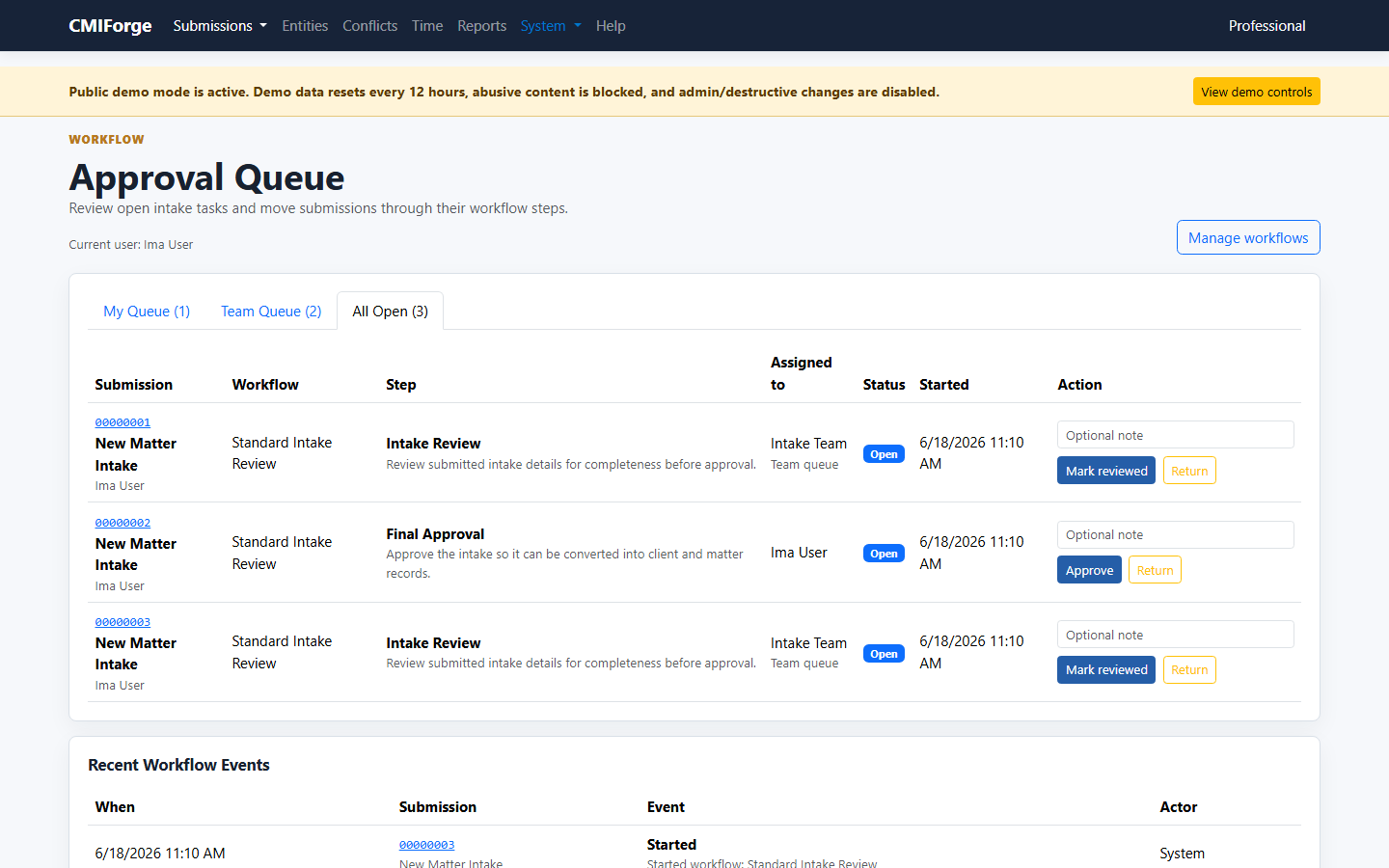
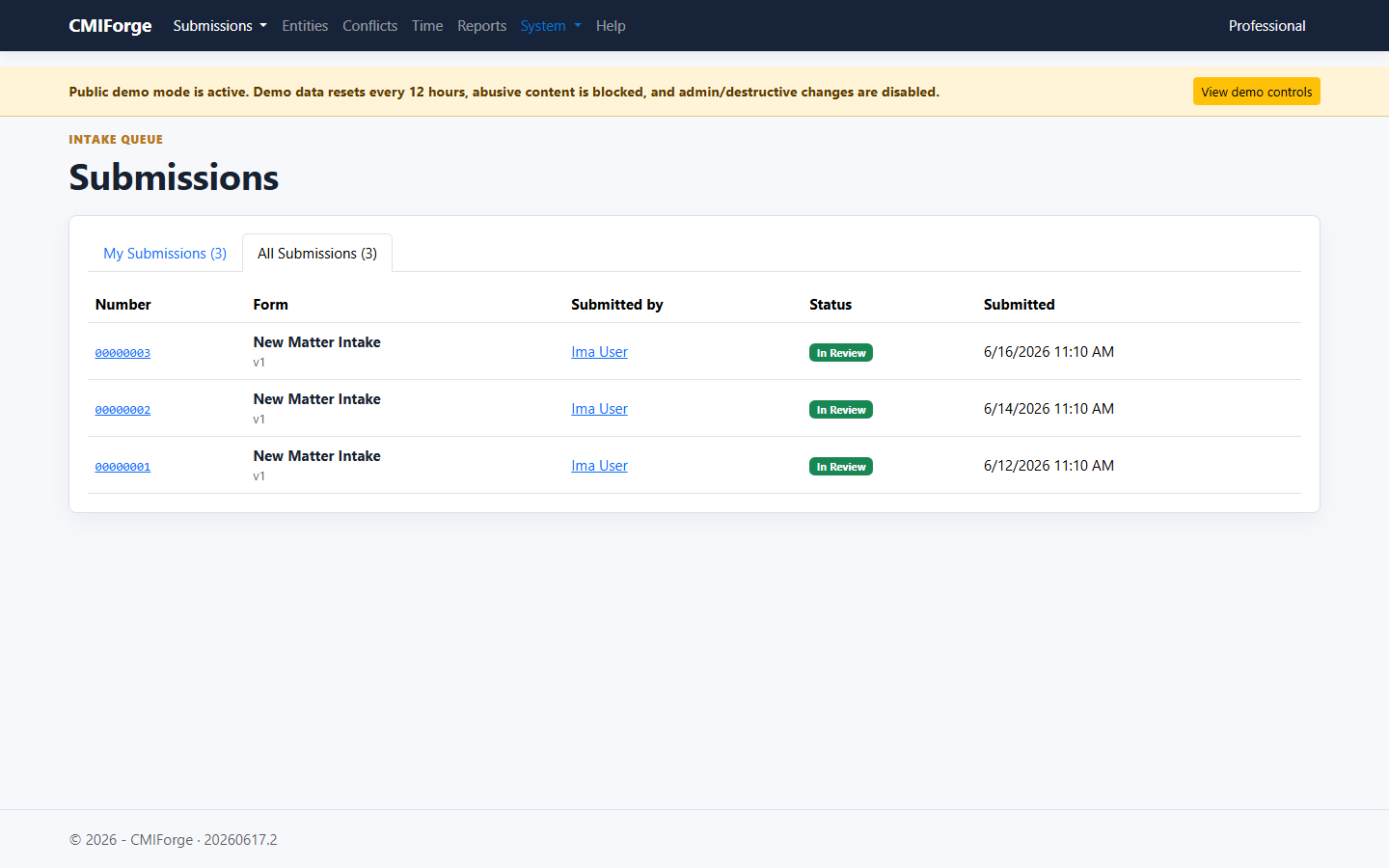
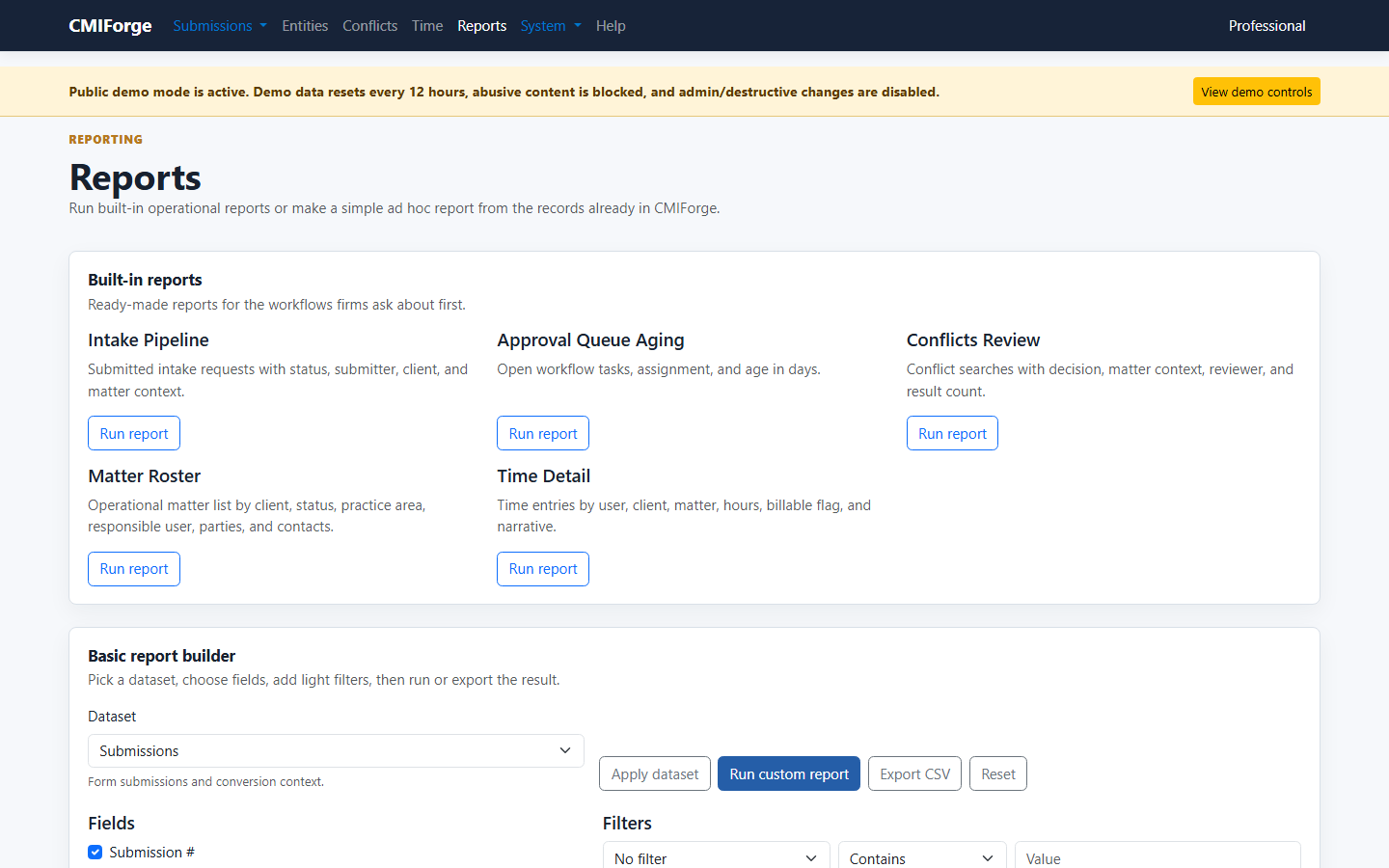
Open submissions, conflict hits, workflow tasks, and reporting live in the same flow your intake team already has in its head.
Product video
A quick walkthrough for the "what is this thing?" moment.
A short captioned tour walks through the dashboard, submissions, approval queue, conflicts, reports, and the live-demo path.
FAQ
Fair questions before anyone lets new software near intake.
The short version: CMIForge is meant to clean up scattered intake work without turning rollout into a second job.
Is CMIForge trying to replace our whole practice-management system?
No. The product is focused on intake, conflicts, approvals, operational records, and handoff. It is meant to be lighter than a full law-practice-management suite.
Can we try it without migrating everything first?
Yes. Start with forms, workflow, conflicts, and a small set of clients or matters. Imports are there when you are ready to bring over structured data.
How is firm data stored and protected?
CMIForge includes role-based access controls, private document storage, activity auditing, and tenant-level data isolation to help firms protect sensitive client and matter information.
Can we run conflict checks before opening a matter?
Yes. Conflict searches can be tied to intake and matter context, with saved results, review notes, and clearance tracking.
What happens after someone submits a form?
Submissions can move through workflow queues, approvals, routing decisions, attachments, and conversion into client and matter records.
Is this only for large firms?
No. The product direction is practical enough for smaller teams but structured enough for firms that need audit trails, approvals, and cleaner matter opening.
Where should questions or ideas go?
The support center is the home for questions, FAQs, knowledge-base notes, and enhancement ideas while the product keeps taking shape.
Can we keep using spreadsheets during rollout?
Yes. The import center supports client, matter, and party CSV imports with validation before importing, so rollout can be gradual.
Platform
Because the form is only the opening move.
The messy part starts after someone clicks submit. CMIForge keeps the request moving until it becomes a real client, matter, party, approval, and audit-friendly workflow.
Intake without the inbox chaos
Dynamic forms, attachments, versions, and submission history keep the whole thing from turning into inbox archaeology.
Turn requests into real records
Clients, matters, contacts, parties, addresses, documents, and custom entity fields stay connected after the form is submitted.
Keep work moving
Approvals, field-level change review, routing rules, task queues, and decisions make it harder for the next step to disappear into email.
Make conflicts part of intake
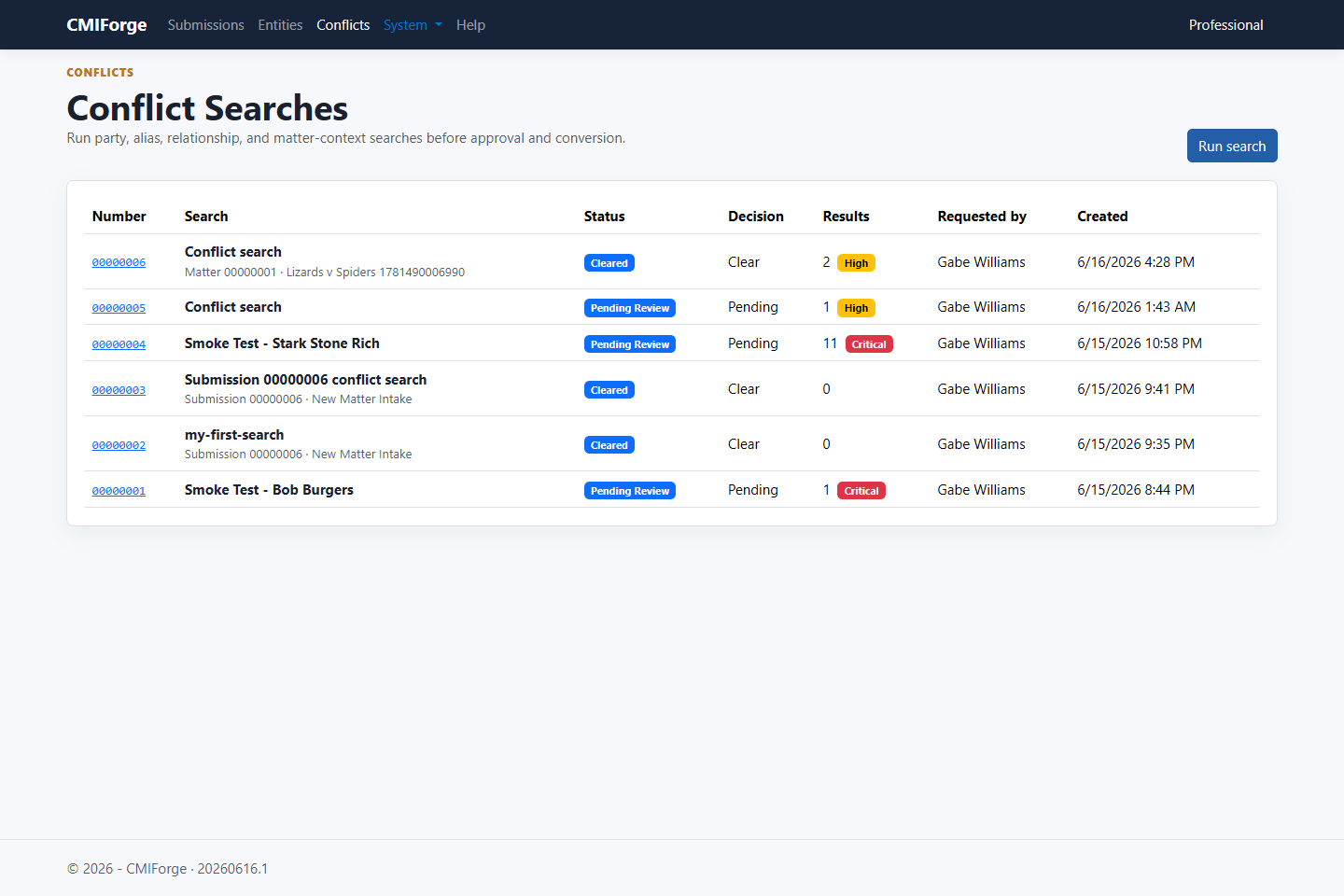
Run searches, track decisions, and keep conflict history right beside the matter instead of in somebody's notes.
Leave the spreadsheet behind
Import clients, matters, and parties with validation and mapping that expects real-world data to be a little messy.
Let email start the work
Forwarded intake emails can create submissions, copy real file attachments, and tell senders what was accepted or skipped.
Control who sees what
Roles, permissions, teams, and audit-friendly controls help keep sensitive information where it belongs.
Workflow
From intake form to cleared matter, with the thread still intact.
- Collect the request through a configurable intake form.
- Send it into the right review and approval queues.
- Run conflicts with matter context, provider data, and saved outcomes.
- Save approved entity-field changes when the workflow says it is time.
- Generate engagement letters and document outputs from the same intake and entity data.
- Approve, return, convert, or keep building the record when it is ready.
Integrations
Your data should be useful everywhere, not stuck in one product.
CMIForge is being built so firms can work with their own data using the tools they already like. Start in the app, then connect intake, clients, matters, parties, conflicts, time, and approvals to the rest of your stack as the platform grows.
Bring the automation you already like
Use tools like Power Automate, n8n, Zapier, Make, Azure Functions, or custom scripts when the firm needs a process CMIForge does not handle natively yet.
Keep ownership of the data
Operational records are structured around real clients, matters, parties, addresses, submissions, conflicts, workflow tasks, provider-screening evidence, and audit history.
Connect without waiting on us
The direction is practical access: exports first, integration endpoints next, and webhooks/API access as the platform matures.
Follow along
See the software, not a sales deck.
The live platform already handles forms, approvals, conflicts, entity records, email intake, matter opening, AI-assisted workflow drafting, engagement letters, and document assembly. Take a look around and see if it feels like the kind of calm your intake process could use.
Email us at support@cmiforge.com.